Set Campaign Cost Manually
The cost update feature provides you the ability to modify campaign costs, so you can analyze campaign performance more accurately.
To set campaign cost, follow these steps:
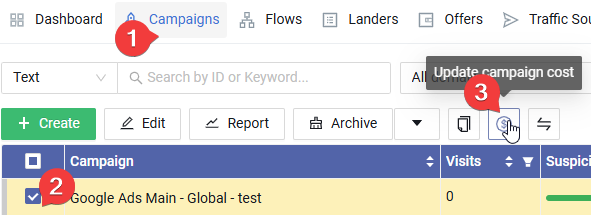
click the Campaigns menu.
Choose the campaign that you want to update cost for.
Click the button with "Dollar" icon.

- A cost updating form will show up, choose the currency.
- Put new cost number.
- Click "Save" button.